Bookkeeping
How to Do Bookkeeping for Rental Property (My One-Minute Month)
How to do bookkeeping for rental property, step by step: the monthly routine, which records you keep, the free templates for doing it by hand, and how I get a month down to about a minute.
If you searched for how to do bookkeeping for rental property, you probably expect an afternoon of setup and a chore you will dread every month. I run two rentals of my own, and the routine below is what a month actually takes me now: about a minute. Most of that minute is confirming a review queue. I want to show you the whole thing, both the by-hand version with free templates and the version I run, because the discipline underneath is the same and it is simpler than the software marketing makes it sound.
What rental bookkeeping is actually for
Strip away the vocabulary and rental bookkeeping has one job: produce books that tie to the bank and roll up into a Schedule E at year end. Everything else, the ledgers and reconciliations and depreciation schedules, exists to make those two things true: the total matches your statement, and every dollar is sorted to the line it belongs on. Keep that as the target and the monthly routine writes itself.
There are four moves each month, then a fifth once a year. Here they are, with the free template for each and how the same step looks when software does it.
1. Bring in the money that moved
Bookkeeping starts with a complete list of what came in and went out. By hand, that means opening your bank statement and copying each rental transaction into a ledger. For the income side, a running rent ledger per tenancy is the record courts and lenders ask for: rent due, rent paid, the balance after each line. For the whole picture, the rental profit and loss template lays income and expenses out month by month in the shape a Schedule E wants.
The one habit that makes this trivial is a dedicated bank account for the rentals. When rental money never mixes with personal money, every line in the statement is already a rental line, and the "is this ours?" sorting that eats most people's evening never happens.
In software, this step is a bank connection instead of retyping: the feed arrives on its own, deduplicated, with dates and amounts already right. That is the part that makes a monthly sitting possible, because the transcription, the slow and error-prone part, is gone.
2. Sort each charge to its Schedule E line
This is the heart of it. Every transaction gets a category, and the categories are not arbitrary: they are the Schedule E lines the IRS already prints, advertising (line 5) through depreciation (line 18). If you are doing it by hand, the Schedule E worksheet has every line in order for up to three properties, and the expense categorizer will tell you which line any given expense belongs on. I wrote a full walkthrough of the tricky calls in how to categorize rental expenses for Schedule E, because "Other" (line 19) is where a real repair or supply quietly hides and costs you a deduction. The other call that goes wrong on this same screen is repair versus improvement, which decides line 14 or line 18, this year's deduction or 27.5 years of it. Are home repairs tax deductible walks the usual ones, rental and personal, with the numbers.
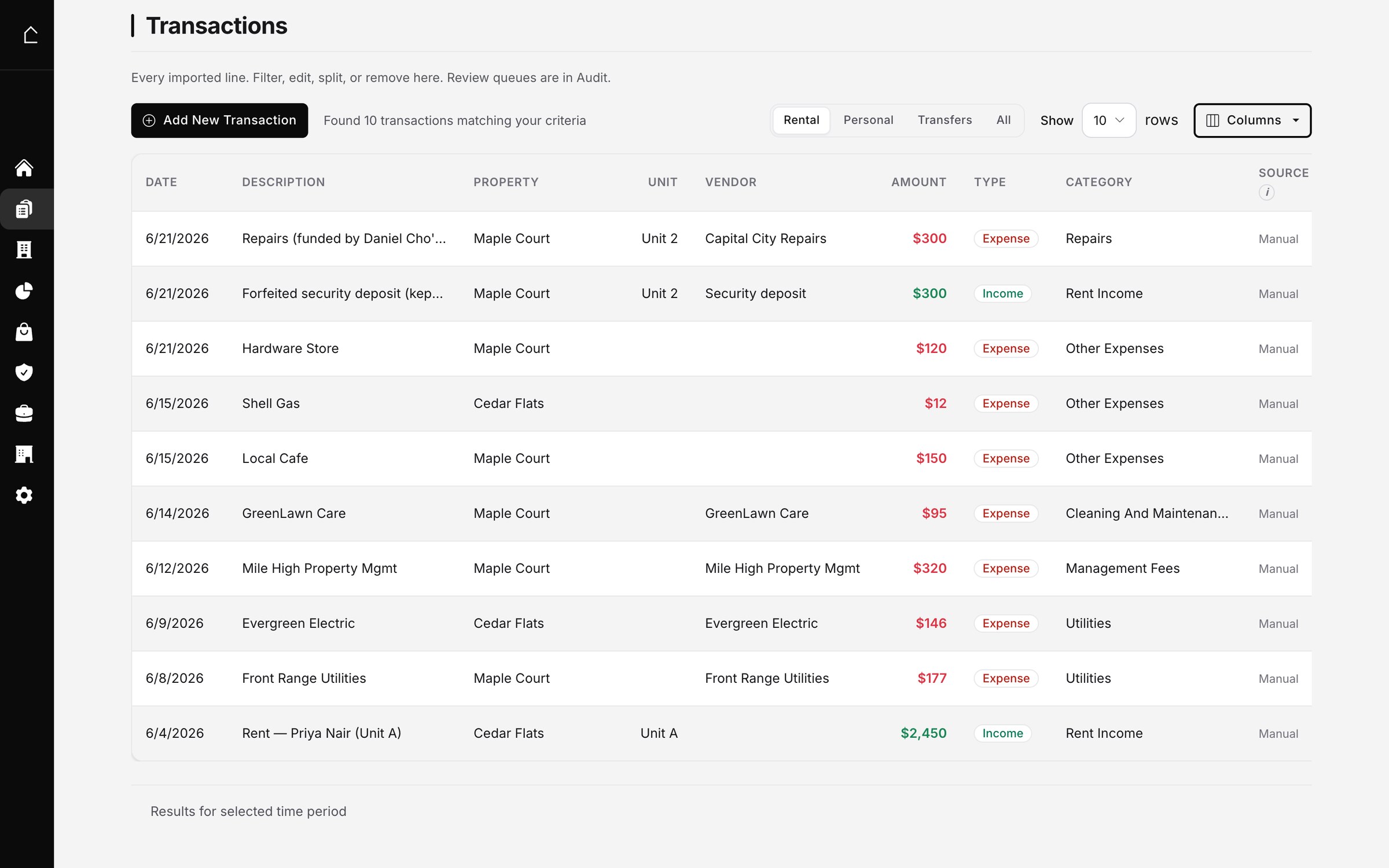
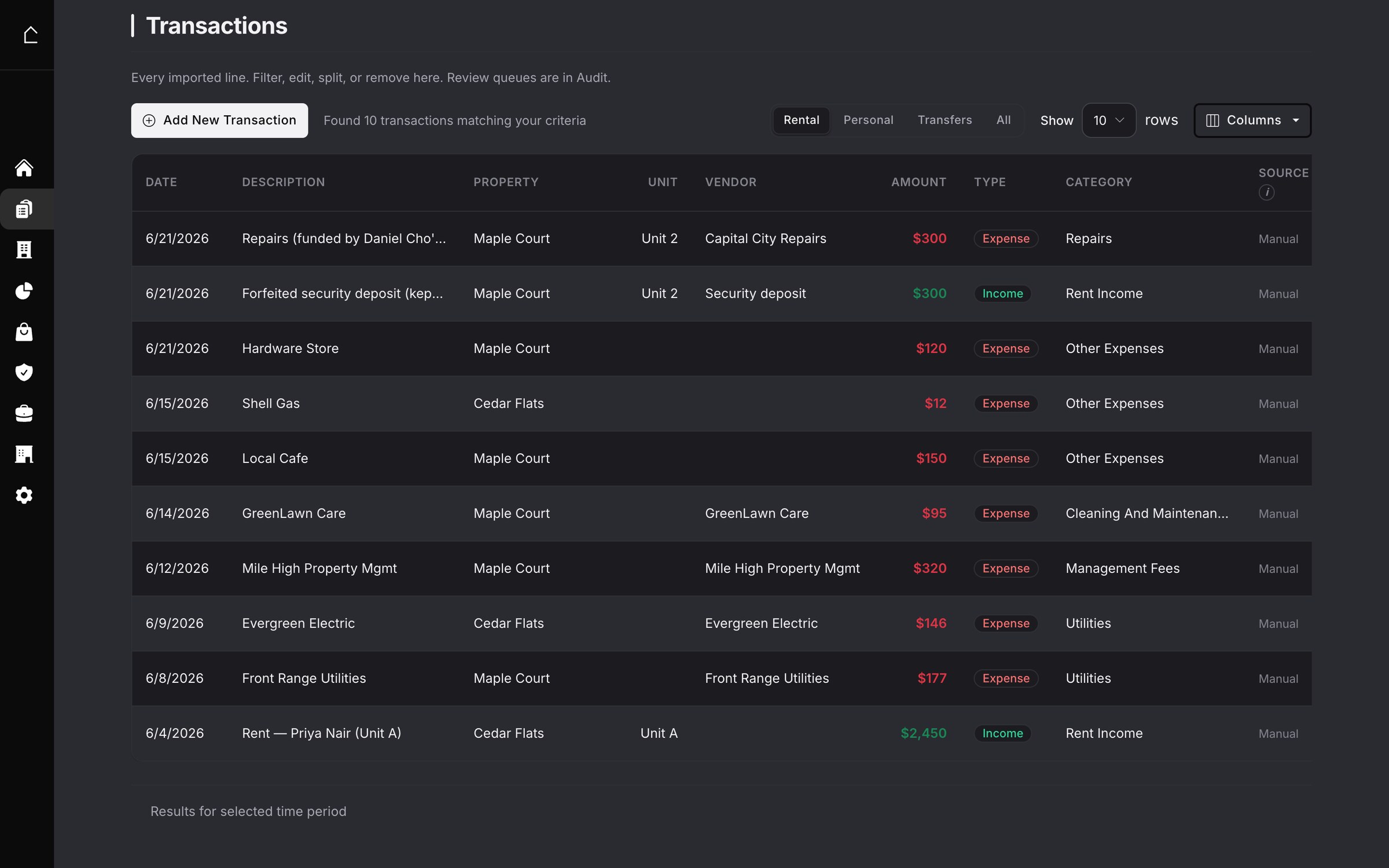
By hand, this is where the minutes go: you make the same call about the same vendor every month. Software's job here is to remember. The first time I told it the PG&E charge was a utility split between a rental and my own home, it kept doing that split every month after, and flagged the one month the bill doubled so I could look. That is the difference between an hour and a minute: the machine does the repeats, I handle the exceptions.
3. Keep the receipt behind each expense
A category without a receipt is a deduction you cannot defend. By hand, this is the shoebox, or a folder per property, or a photo roll you hope you can find in an audit. The record you want is simple: the invoice or receipt attached to the transaction it paid for.
In software, this is a photo or a forwarded email. I snap the receipt, it reads the vendor, amount, and category off the image and attaches it to the matching bank charge. Utility bills I forward from Gmail and they land as bills waiting to match the payment. The point is not the convenience, it is that the evidence and the entry never drift apart.
4. Reconcile to the statement
This is the step people skip, and skipping it is why year-end books surprise you. Reconciling means proving the books match the bank: same transactions, same total, no duplicates, nothing missing. By hand, you tick the ledger against the statement line by line. I wrote the full method, including the oldest-first order and the duplicate-card trap, in how to reconcile rental books without a bookkeeper.
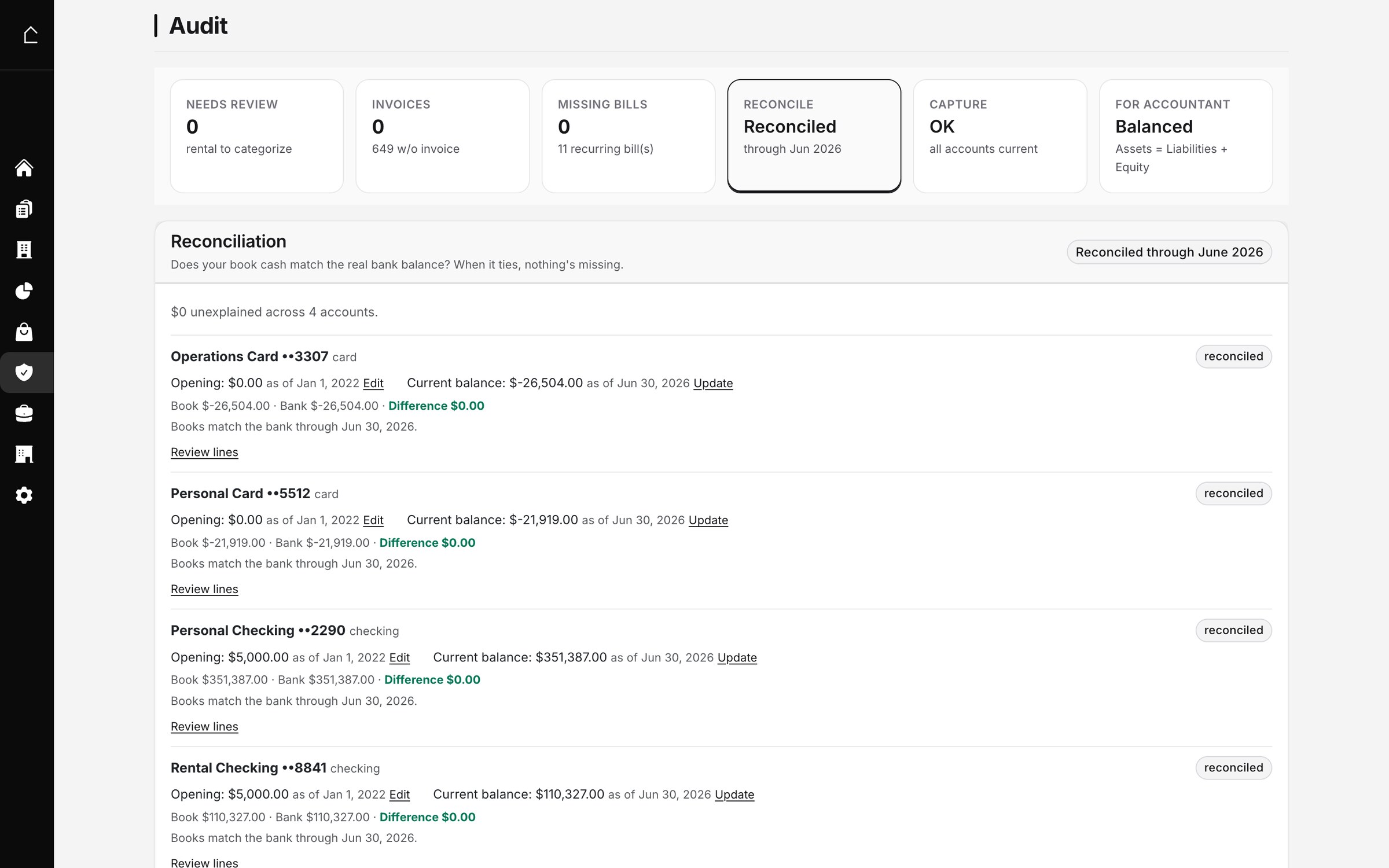
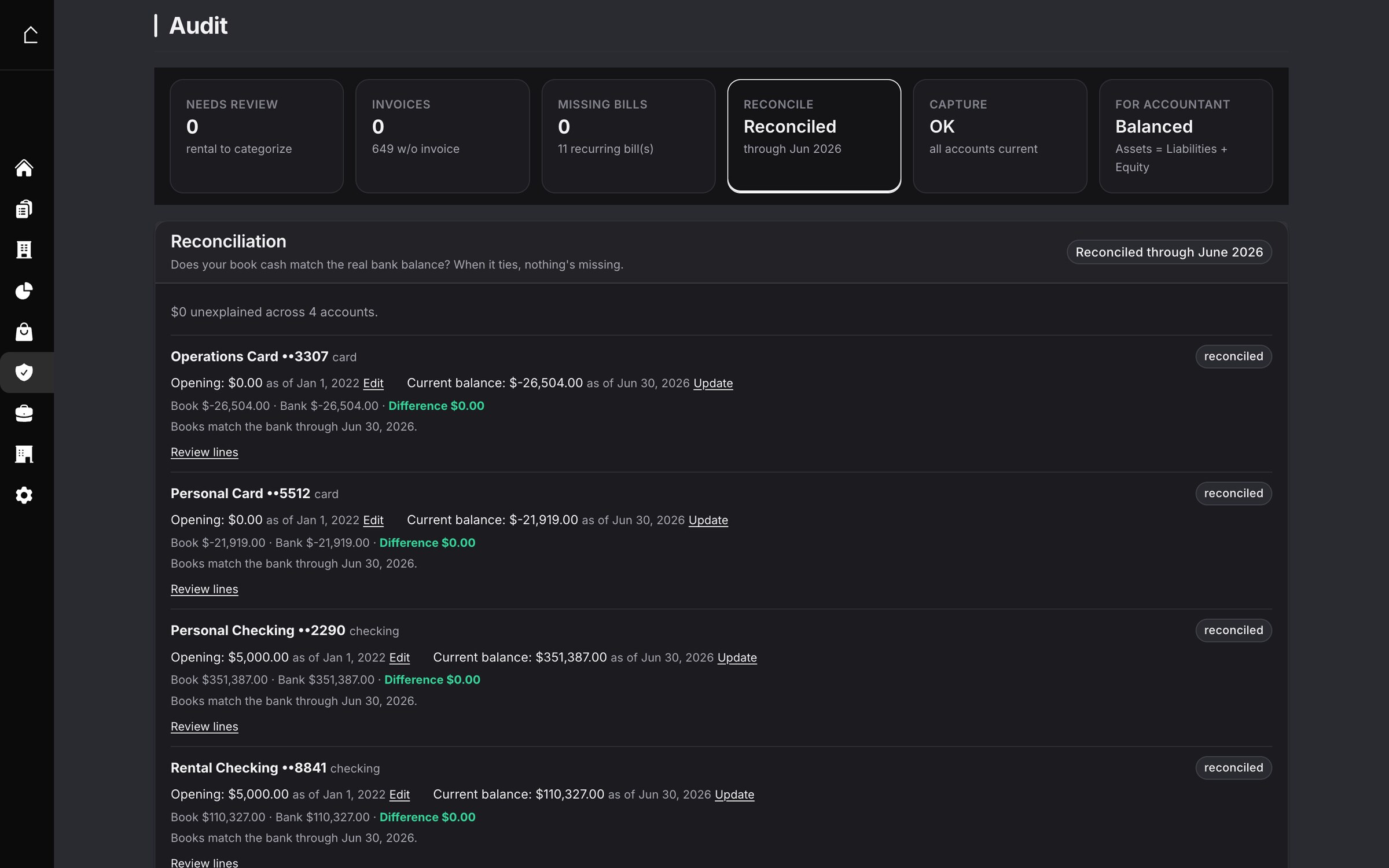
Reconciliation is the one step that catches your own mistakes, which is why it is worth doing whether you use a spreadsheet or software. The difference is only how fast you find the break. On paper you hunt for it; in software the difference is a number that points you straight at the offending line.
5. Once a year: depreciation and the return
Four steps happen monthly. One happens once, at tax time. The building depreciates over 27.5 years, and any improvement (a roof, an HVAC, a full turnover) gets its own schedule. The rental depreciation schedule template is the by-hand version, one row per asset, tying to Schedule E line 18. Security deposits you are still holding belong on a balance sheet, not in income, because a deposit is money you owe back.
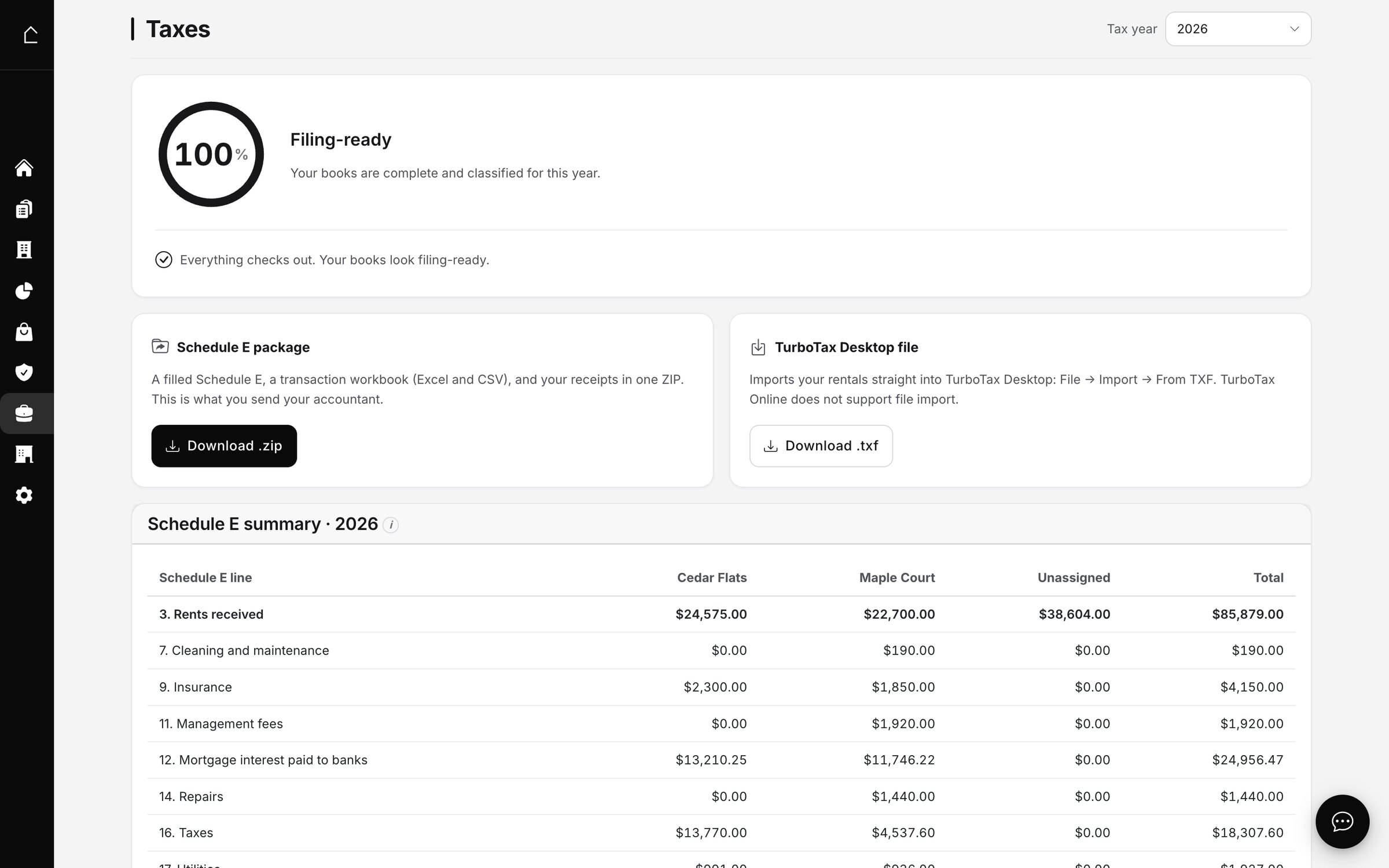
If the monthly work happened, this step is a download. If it did not, this is the weekend in April where a year of half-remembered transactions gets rebuilt from memory, which is exactly the cleanup I walked through in accounting cleanup for rental books. The whole point of the monthly routine is to never be here.
The by-hand kit, in one place
You can run every step above with a spreadsheet and discipline, and plenty of one-property landlords should. Here is the free set, no email, no signup:
- Rent ledger template: income per tenancy, running balance.
- Rent roll template: the portfolio on one page, as of a date.
- Profit and loss template: income and expenses, month by month.
- Schedule E worksheet: every line 5 to 21, in IRS order.
- Mortgage payment worksheet: one row per payment, split into principal, interest, and escrow.
- Depreciation schedule template: one row per asset, ties to line 18.
- Balance sheet template: assets, liabilities, and where the deposit lives.
- Prorated rent calculator: the mid-month move-in or move-out amount, by actual days or the 30-day method.
- Cash flow statement template: 12 months of cash in and out, bridged to Schedule E line 21.
- 1099 contractor tracker: what each contractor was paid, which W-9s are missing, and who crosses the 1099-NEC line.
It is 2026, and if you would rather build your own version of any of this, the shape is not complicated: a bank feed, a rule per vendor, a running balance, a monthly reconcile. That is genuinely all the machinery is.
If you would rather run this on general accounting software than a spreadsheet, that is a real option too. I compared what actually holds up for landlords in the best rental property bookkeeping software, and wrote up QuickBooks for rental property on its own, because the part that decides whether QuickBooks survives tax time is the chart of accounts and the mortgage split, and that is the part most setup guides skip.
How I actually run it
I built Oberlin24 because I wanted the monthly routine to cost a minute, and I run my own two properties on it. The setup is real: I connect the bank once, and I confirm the categories the first time so it learns my vendors. After that, a month looks like this. I open the review queue, it shows the handful of charges it was not sure about, I confirm or correct them, the reconcile is already green, and I am done. Over time it has kept the receipts attached, split the mortgage into interest, principal, and escrow on its own, and quietly saved the hours I would have spent triaging bank lines, which it counts for me instead of asking me to take its word for it.
If you want to see the whole thing running on a real set of books before you touch your own, open the live demo. It is a full account you can click through, no signup. Then decide whether you would rather keep the spreadsheet or let the feed do the typing.
The takeaway
Rental bookkeeping is four monthly moves and one yearly one: bring in the money, sort each charge to its Schedule E line, keep the receipt, reconcile to the bank, and once a year run depreciation and the return. Do it monthly and it stays a minutes-long habit; do it yearly and it becomes a reconstruction. The free templates above are the whole routine in spreadsheet form, and they are genuinely enough for a small portfolio. The only thing software changes is the typing and the reconciliation, which is the same reason a month of my own books now takes about as long as reading this sentence.
Frequently asked questions
How do I do bookkeeping for a rental property?
Record every dollar in and out, sort each one to a category (the categories are the Schedule E lines the IRS already uses), keep the receipt or invoice behind it, and once a month reconcile the total against your bank statement so the books and the bank agree. Done monthly it takes minutes; done once a year in April it takes a weekend and misses things. The rest of this post is that routine step by step, with a free template for each part.
Do I need a separate bank account for each rental?
One dedicated account for the rentals is the single most useful habit, and a separate account per property is better still. It is not a legal requirement for a Schedule E filer, but it is what turns bookkeeping from a reconstruction project into a monthly glance: when rental money never touches your personal account, every line in the feed is already a rental line, and the commingled-charge cleanup that eats most people's time never happens.
How often should I do rental bookkeeping?
Monthly. The work scales with how long you wait: a month is a short, recognizable list you can reconcile in one sitting; a year is a pile of half-remembered transactions where a $725 repair and a duplicated card charge hide until they cost you at tax time. The routine below is built to be run once a month against the statement that just closed.
Can I do rental bookkeeping in a spreadsheet, or do I need software?
A spreadsheet absolutely works, and the free templates linked throughout this post are the spreadsheet version of every step: a rent ledger, a profit and loss, a Schedule E worksheet, a depreciation schedule. Software mostly buys you speed and a reconciliation you cannot fudge: it pulls the bank feed, proposes the category, and ties to the statement, so the monthly sitting shrinks from an hour to a minute. The discipline is identical either way.
What records does a rental property need for taxes?
For each property: income by month (the rent ledger), expenses sorted to the Schedule E lines (advertising through depreciation, lines 5 to 18), the receipt or invoice behind each expense, a depreciation schedule for the building and any improvements, and a year-end reconciliation showing the books match the bank. Keep security deposits separate, because a deposit you hold is a liability, not income, until you keep it.
What is the difference between rental bookkeeping and rental accounting?
Bookkeeping is the monthly recording and reconciling, the routine in this post. Accounting is the interpretation on top: depreciation schedules, the repair-versus-improvement calls, the Schedule E that rolls up at year end, the hold-versus-sell math. Good bookkeeping is what makes the accounting trustworthy, because every number above inherits whatever the recording got right or wrong.